Downloading your designs from BFC-Creations |
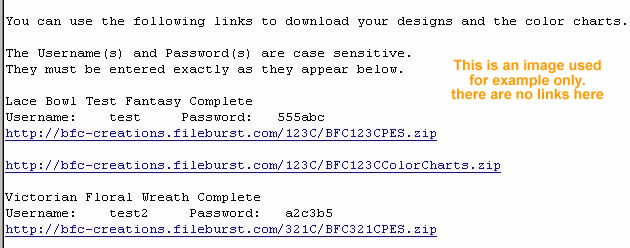
| When we fill an order you will receive an email with user name(s) and password(s). Each design will have a separate user name and password. Most of the time there will be two links per design. One link is for the actual design and the other is for the related color chart. These two links will always use the same user name and password. If there is no link for a color chart this indicates that the color chart is included in the design file download. |
|
| |
|
|
Entering User name and Password |
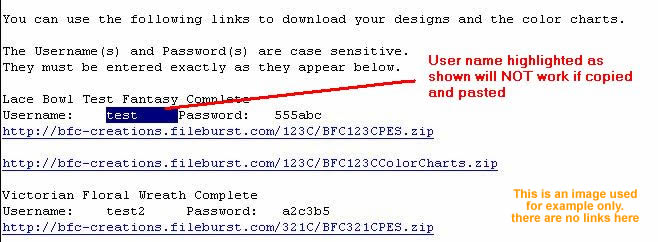
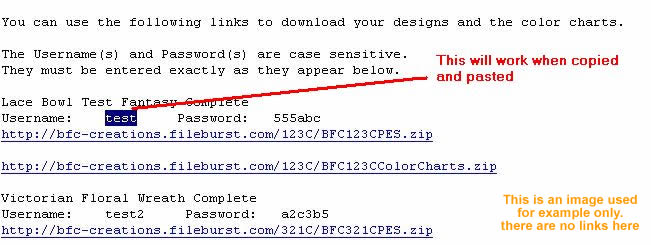
| The User names and Passwords must be entered EXACTLY as they appear in the email you received. The User names and Passwords will consist ONLY of text or numbers. Any thing such as spaces before or after the user name or password will result in an error. If you use copy and paste you must be careful not to include leading or following spaces. |
|
|
| |
|
|
Using the Links in the email |
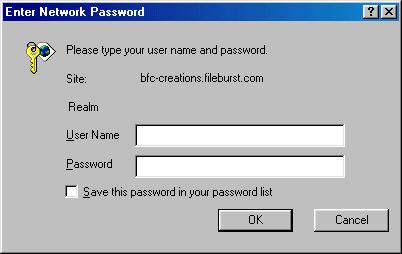
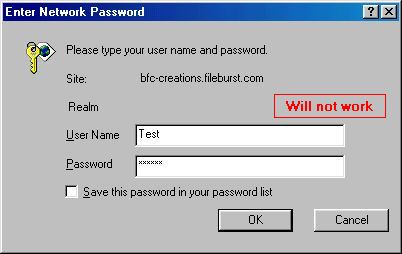
| To download the file click the link which will be blue in color(usually). When you do this a box will pop up on your screen. This is where you enter the user name and password. The user name and password must be EXACTLY as shown. |
|
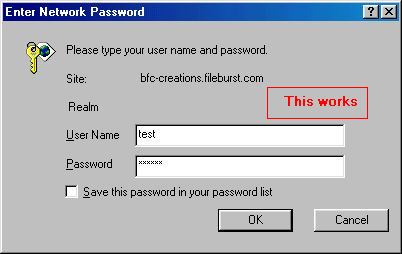
Enter user name and password exactly as shown. User name and password are case sensitive!
Click OK |
|
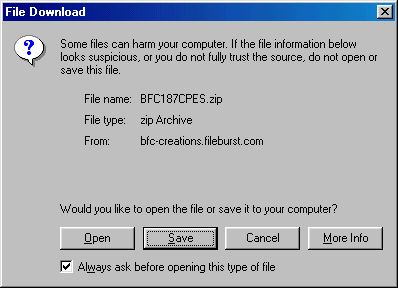
If you have entered the correct user name and password you will see another box pop up.
Click the Save button |
|
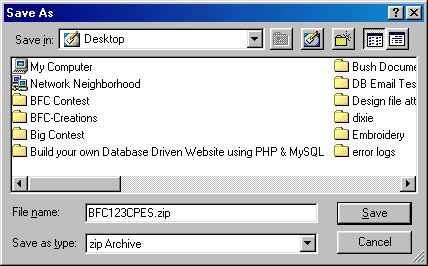
When you click the Save button another box will pop up. This box is asking you where you want to save the file you are about to download. In this example the file will be saved to the desktop.
Click the Save button |
|
| When you click Save the file will start downloading and show a progress meter. |
|
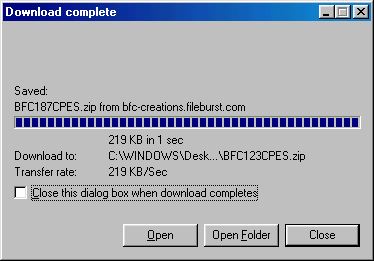
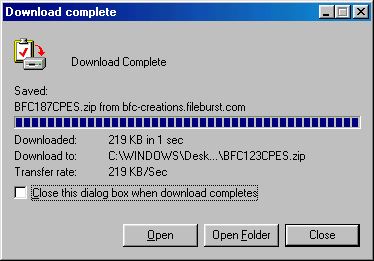
| When the file is finished downloading the box below is shown. Click Close on this box |
|
| The file is now on your desktop. |
| If you still have problems check the following: |
Is the user name entered properly?
Is the Password entered properly?
Are you using the correct user name for the file?
Are you using the correct password for the file?
|
|
STILL can't make it work? Find the email that was sent to you and click "Reply". Leave the original message in the reply so I can easily find what you ordered.
|
| |
|
|
| |
|
|
| |
|
|